 ErgPulse
Your AirPods heart rate, on your PM5.
I got tired of waiting for Concept2 to support AirPods Pro 3 heart rate, so I built this. Your phone is at the gym with you anyway. Now it's your heart rate monitor.
How it works
Your AirPods already measure your heart rate. ErgPulse passes it along to the PM5 the same way a chest strap would.
AirPods Pro 3
Measure your heart rate in your ears.
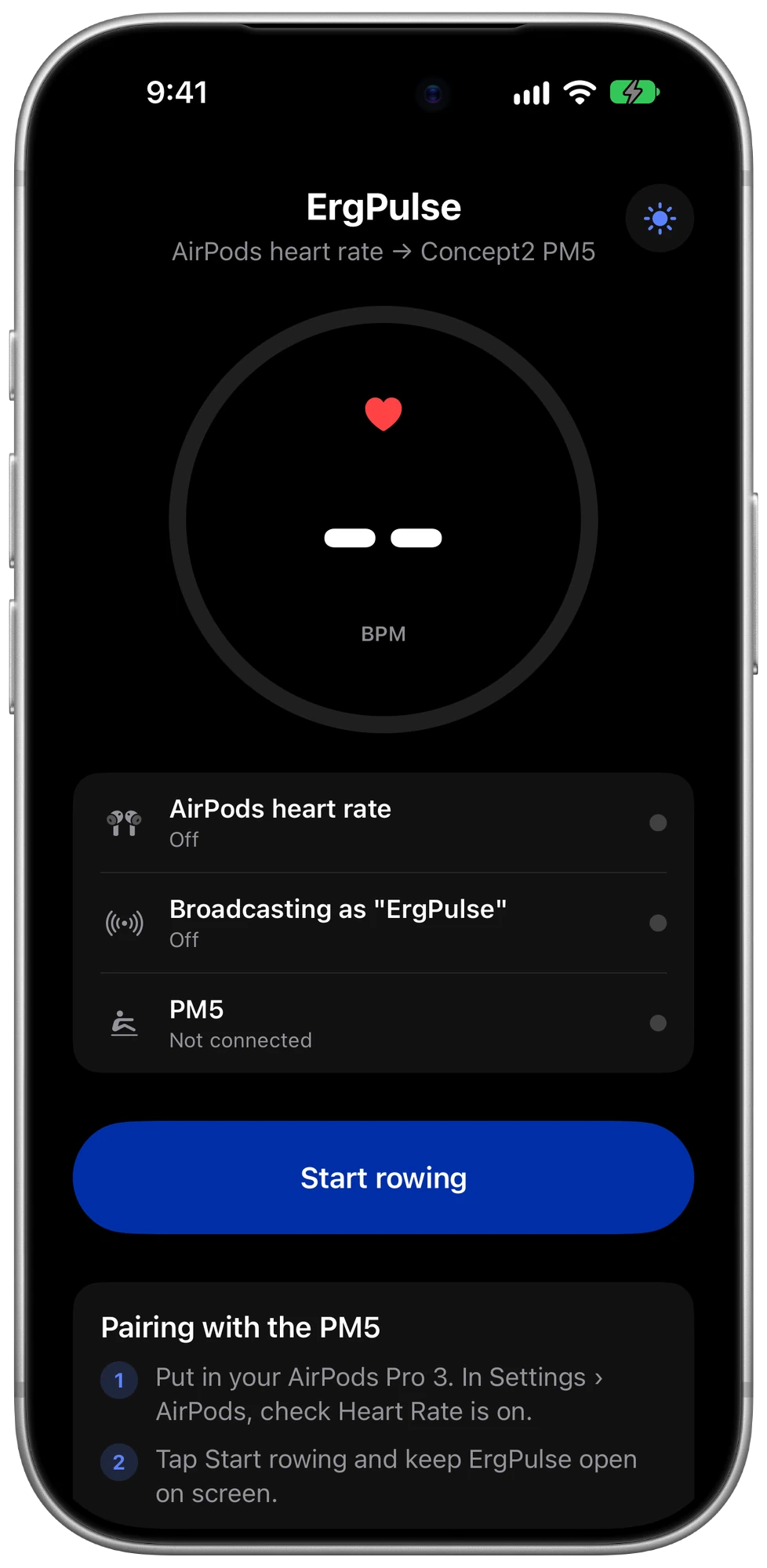
ErgPulse on iPhone
Reads the live heart rate and sends it out once a second.
Concept2 PM5
Shows your heart rate and saves it with your workout.
Rowing in three steps
Put in your AirPods
Check that heart rate is turned on in Settings › AirPods.
Tap Start rowing
Keep ErgPulse on screen until the PM5 finds it.
Pair the PM5
On the monitor, choose Connect › Connect to Heart Rate and pick ErgPulse. Then lock your phone and row.
Built to stay out of your way
No chest strap
Use the earbuds you already wear on the erg. Nothing to charge, wet or strap on.
On your Lock Screen
Once the PM5 shows Connected, lock your iPhone. Your heart rate stays on the Lock Screen and in the Dynamic Island, and keeps flowing to the PM5.
Never a frozen number
If an earbud loses its seal, ErgPulse tells the PM5 the sensor lost contact. It never keeps showing an old reading.
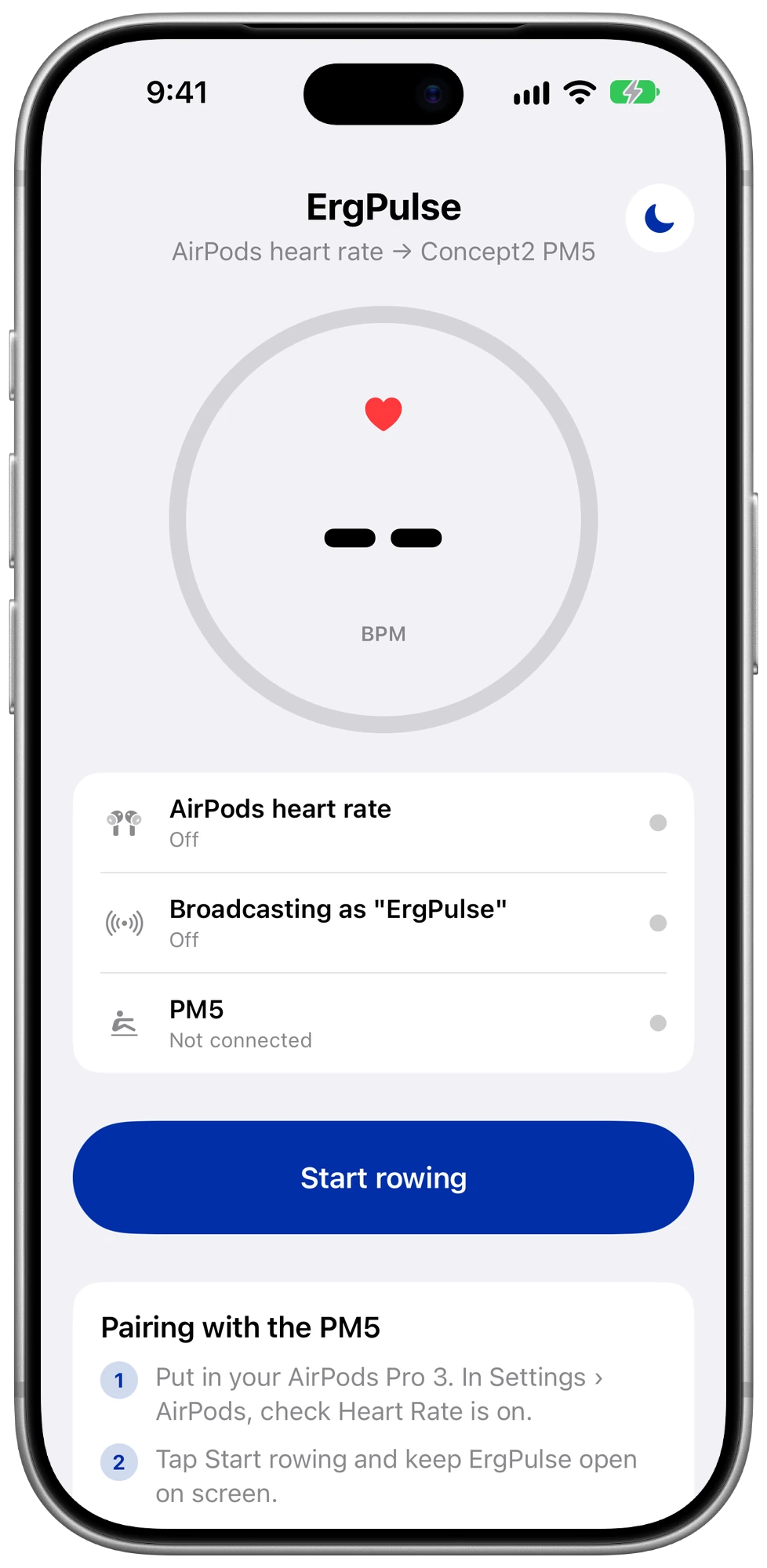
Light or dark
Follows your phone, or flip it with one tap. Easy to read on a bright morning or in a dim garage.
Private by design
No account, no analytics, no ads, and no internet connection. Your heart rate goes to your PM5 and nowhere else.
Your logbook keeps working
The PM5 records your heart rate with the workout, so it reaches ErgData and the Concept2 Logbook as usual.
One screen. Everything you need.
Your heart rate, whether the AirPods are reading, and whether the PM5 is connected.
Data not collected. Really.
ErgPulse has one job. It doesn't need to know who you are, and it forgets your heart rate the second you tap Stop. No cookies or trackers on this site either.
- No account or sign-in
- No analytics, ads or tracking
- Nothing saved to Apple Health
- Never connects to the internet
What you need
Questions
Does it work with a PM3 or PM4?
No. ErgPulse connects over Bluetooth, and the PM5 is the only Concept2 monitor with Bluetooth.
Why do I keep the app open while pairing?
iOS only lets other devices discover an app's Bluetooth signal while the app is on screen. Once the PM5 is connected, you can lock your phone.
Does ErgPulse record my workouts?
No. Your PM5 records the workout, including heart rate, and syncs it to ErgData and the Concept2 Logbook as it always does. ErgPulse doesn't save anything.
Do I need to pair it every time?
Sometimes. iPhones change their Bluetooth address from time to time, so the PM5 may not remember ErgPulse between workouts. Pairing takes a few seconds.
Is there a subscription?
No. ErgPulse is $1.49 once, with no ads and nothing to buy inside the app.
Row with your heart rate on the screen.
Coming soon to the App Store for iPhone.